Siftree prospecting workflow vs Unify: turn buying signals into the next account
Compare Siftree prospecting workflow and Unify for signal-led account research, qualification, CRM context, and the transition from evidence to outbound.


Should you choose Siftree prospecting workflow or Unify for signal-led prospecting?
Prioritize Unify when you want an AI outbound platform combining research, signals, plays, and sequencing for sellers. Consider Siftree prospecting workflow when your priority is a custom public-data research task with explainable qualification and a CRM handoff. Both connect signals to prospecting work. Test the same account-selection rule, inspect its evidence, and then evaluate the outreach operations your team needs separately.
How this workflow fits: Siftree is an AI-native IT department for your team. Ask for a prospecting solution through your existing AI connected over MCP. Siftree builds and runs the solution within your budget, managing integrations, models, databases, hosting, and access controls. Explore the sources and connections for your workflow through the available integrations.
Start with the event and the action it should cause
Unify and Siftree prospecting workflow both turn a signal into sales work. They differ in what happens right after the signal. In Unify, a configured Play routes the account and can enroll contacts in a sequence. In Pipeline, the account is written to your CRM with its evidence, an explained score, a buyer and a drafted first touch that waits for a rep's approval.
Timing matters as much as the signal itself. Unify's Play documentation warns that CRM changes and Play evaluation can race, so a newly opened opportunity may not yet be reflected in exclusions. The scenario below tests exactly that edge.
A signal arrives while the CRM is changing
A target account triggers your signal at 9:00. At 9:05 a rep opens an opportunity on it and the account owner changes. Later that day you edit the Play or rule's qualification condition.
| Stage | Unify | Siftree prospecting workflow |
|---|---|---|
| Signal fires | A continuous, manual, scheduled or external trigger starts the Play | The trigger event you described is collected with its source and date |
| Check: Is there a source date and company match for every accepted signal? | ||
| Exclusions checked | Uses CRM state as synced at evaluation time; a just-opened opportunity can race the run | Customers and open deals are checked before the account is scored and handed off |
| Check: Trace each excluded account to the actual rule that excluded it | ||
| Seller action | Configured routing and sequence enrollment | Account written to the CRM with a drafted first touch for the rep to approve |
| Check: Count false qualifications separately from valid accounts that never reached a seller | ||
| Rule edited later | Previously processed contacts are not reconsidered unless a retrigger setting is on | The next scheduled run applies the edited rule to newly collected evidence |
| Check: Is the historical audience reconsidered the way you intended, without duplicate seller work? | ||
A proposed controlled test built from vendor documentation. No such run has been performed for this article.
Plays bring operating choices with them
Unify deserves a serious look when the purchase includes a configured signal-to-sequence operation. Unify's web-intent guide explains page-specific audiences and a CRM- or form-driven follow-up pattern. Person-level identification has prerequisites, such as forms, email links or authentication, so a website visit is not automatically a known buyer.
Signals start plays automatically
- Routing and sequence enrollment configured per Play
- Website intent with page-specific audiences
- Triggers, re-runs, enrollment rules and sync timing to maintain
- Inspect execution logs and enrollment reasons, not sent-message counts
Signals become a reviewed handoff
- A defensible account record before anyone is contacted
- Public hiring, review and community events resolved to companies
- Source dates, identity rules, exclusions and qualification to maintain
- Judge accepted accounts and reviewer minutes per run
Neither column is exclusive. Unify researches accounts, and the prospecting workflow drafts outreach. The difference is the default path from evidence to action, and who owns a contact that qualified but never entered a sequence.
What reaches the rep after qualification?
The engage plan for a qualified account, with the buyer, the evidence and a drafted first touch waiting for approval.
Brightline HVAC · Maya Chen
- Write to HubSpot Account, contact, ICP score, and the why-now note Done
- Email 1 · “Dispatch for the Aurora opening” Drafted from 2 signals, sent from Jordan’s mailbox Review before sending
- Wait 3 days
- Call task for Jordan Talking points: Aurora opening, dispatcher hiring Scheduled
- Wait 2 days
- Connection request task With a note that references the new branch Scheduled
Read the plan grid before you budget
At the October 20, 2026 review, Unify's pricing page listed Base at $20 per seat per month with 800 credits and Pro at $60 with 2,400 credits, billed monthly. Pro listed read-only HubSpot and Salesforce sync. Business is a custom annual quote and lists read-write CRM sync, website intent and signal-triggered automation.
- Unify Base and ProPricing
Per seat per month with included credits
Billed on seats plus credits; CRM sync listed as read-only on Pro
- Unify BusinessPricing
Custom annual quote
Billed on seats plus credits; read-write CRM sync and signal-triggered automation listed here
- Siftree prospecting workflowPricing
Monthly plans; custom Team pricing
Billed on Free $0, Basic $80, Pro $450, Ultra $999 per month · Compare included usage, channels, and storage for your workload. Team plans for shared workspaces have custom pricing.
Billing units, not price comparisons. Confirm current terms with each vendor.
An automated, CRM-writing Play should not be budgeted from the entry seat price. Confirm credit consumption for the features you intend to use. Comparable operating costs are not established here.
Picking the default path
Choose Unify when the configured outbound motion is the product you want, and its signals and enrollment controls suit your team. Evaluate Pipeline when the main output is a recurring, defensible CRM handoff that a rep approves before anything is sent. Agree the acceptable detection delay, missed accounts, duplicate handoffs and reviewer minutes before the pilot starts. To compare more options, see Unify alternatives.
Which accounts have a reason for a useful conversation now?
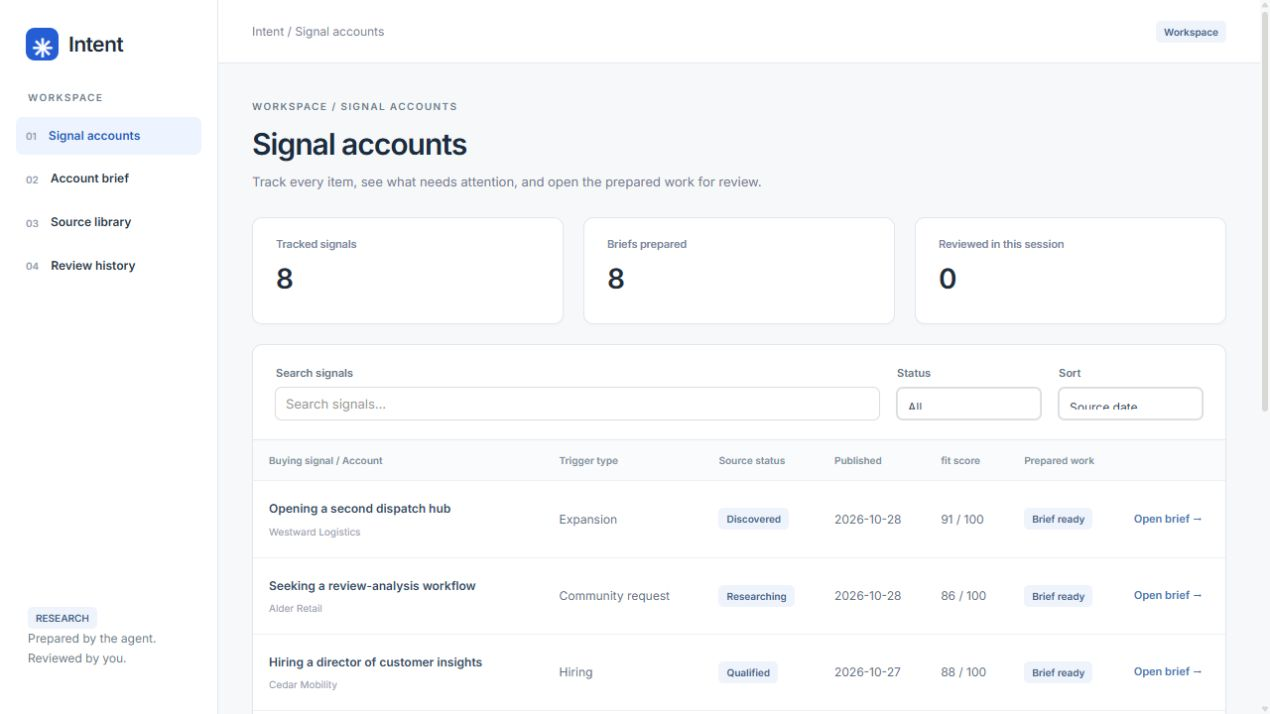
Once the research approach fits your team, qualify one account with the public signal and supporting company evidence together. The buying-signal radar prepares an account research handoff for a rep to review.
Frequently asked questions
Which Unify plan includes read-write CRM sync?
At the October 20, 2026 review, Unify's pricing page listed read-write HubSpot and Salesforce sync on the custom-quoted Business plan. Pro listed read-only sync.
Do Unify Plays re-evaluate contacts after an edit?
Not automatically. Unify documents that previously processed contacts are not reconsidered after a Play edit unless you enable a retrigger setting for periodic re-evaluation.
Does Siftree prospecting workflow send sequences?
Pipeline writes the qualified account, evidence, buyer and a drafted first touch to your CRM for a rep to approve. It is designed around a reviewed handoff rather than automatic enrollment.
Sources & methodology
Written by Kyle DeSana from the product documentation linked below. Recommendations describe workflow fit.

Co-founder, Siftree
Kyle co-founded Siftree after working in data across telecom, media, insurance, automotive, and entertainment and tourism. He writes Siftree's software comparisons and buying guides from the vendor documentation linked in each article.
See it with your own workflow.
Start with Prospecting, or have us build around your team's workflow. Bring the data you use, the work you want done, and where the result should go. We'll scope the app and required access with you.